
SiteW makes website creation easy and enjoyable thanks to a solution without technical or financial constraint.
Testimonials, interviews and examples of created websites. Discover our users’ reviews and creations.
Our history, news and commitments. Beyond online service, discover SiteW.
All resources at the service of your online presence.
You have dedicated time and effort to develop your website, texts, photos, and you want to protect your work, which is perfectly normal.
In this guide, we will see together the different ways you have to protect your content.
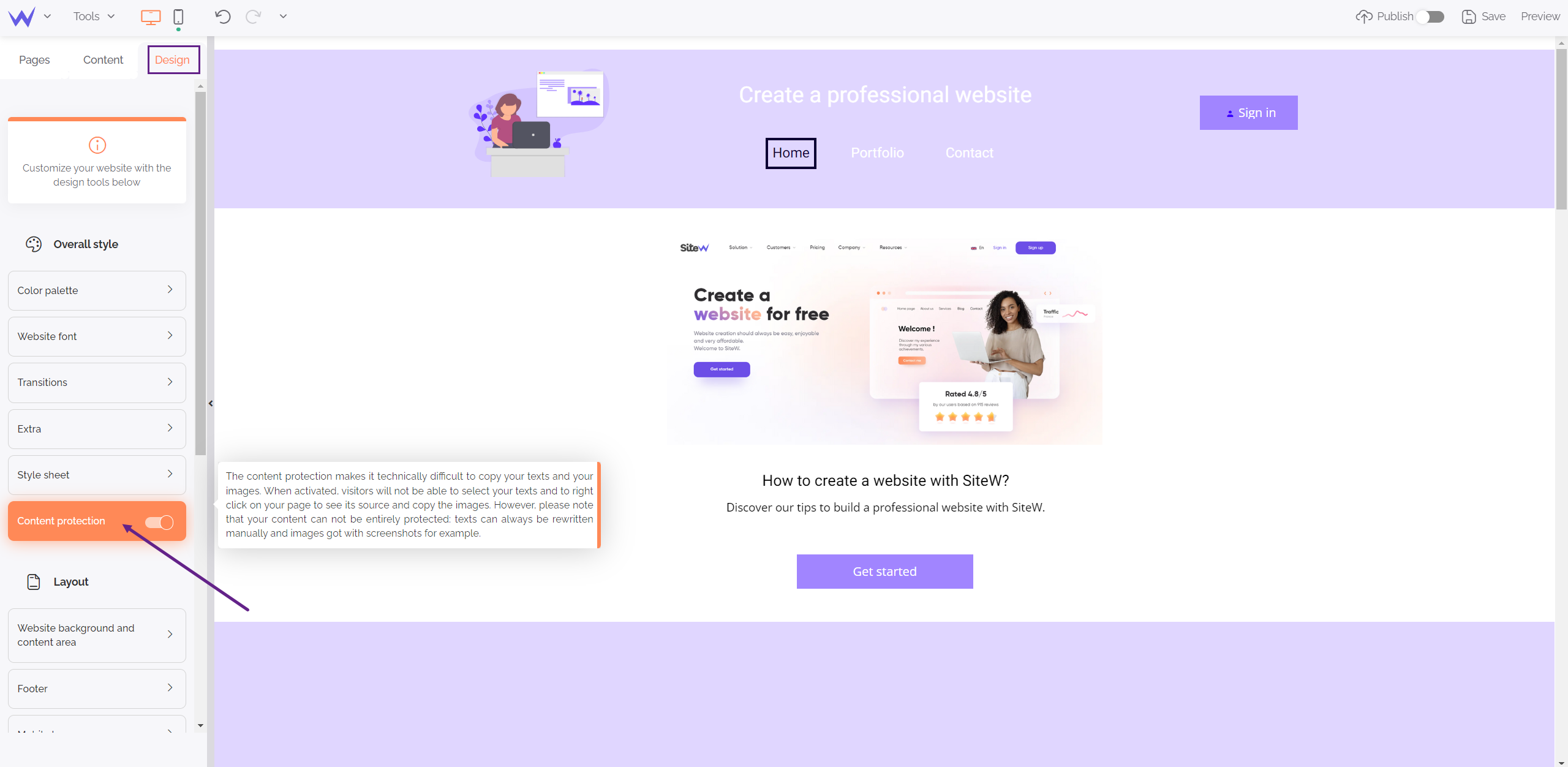
First, one of the first things to do is to go to your Design panel. Then, in the first section called Overall style, enable Content protection.
As indicated when you hover over this field, enabling this protection will technically make it difficult to copy your texts and images. Your visitors will no longer be able to select your texts and right-click on your page to view the source and copy your images.

Your images can also benefit from anti-download protection, in order to protect your photos and image creations.
HTML5's technology is used to ensure maximum security for your images.

To enable image protection, just check the anti-download option in the Image or Carousel block (bottom left in the properties of the selected block).
You can also use one of the many available software programs to apply a watermark to your images and photos.
Protect a part of your website with a password. Only visitors who know this secret code will be able to view your private pages.
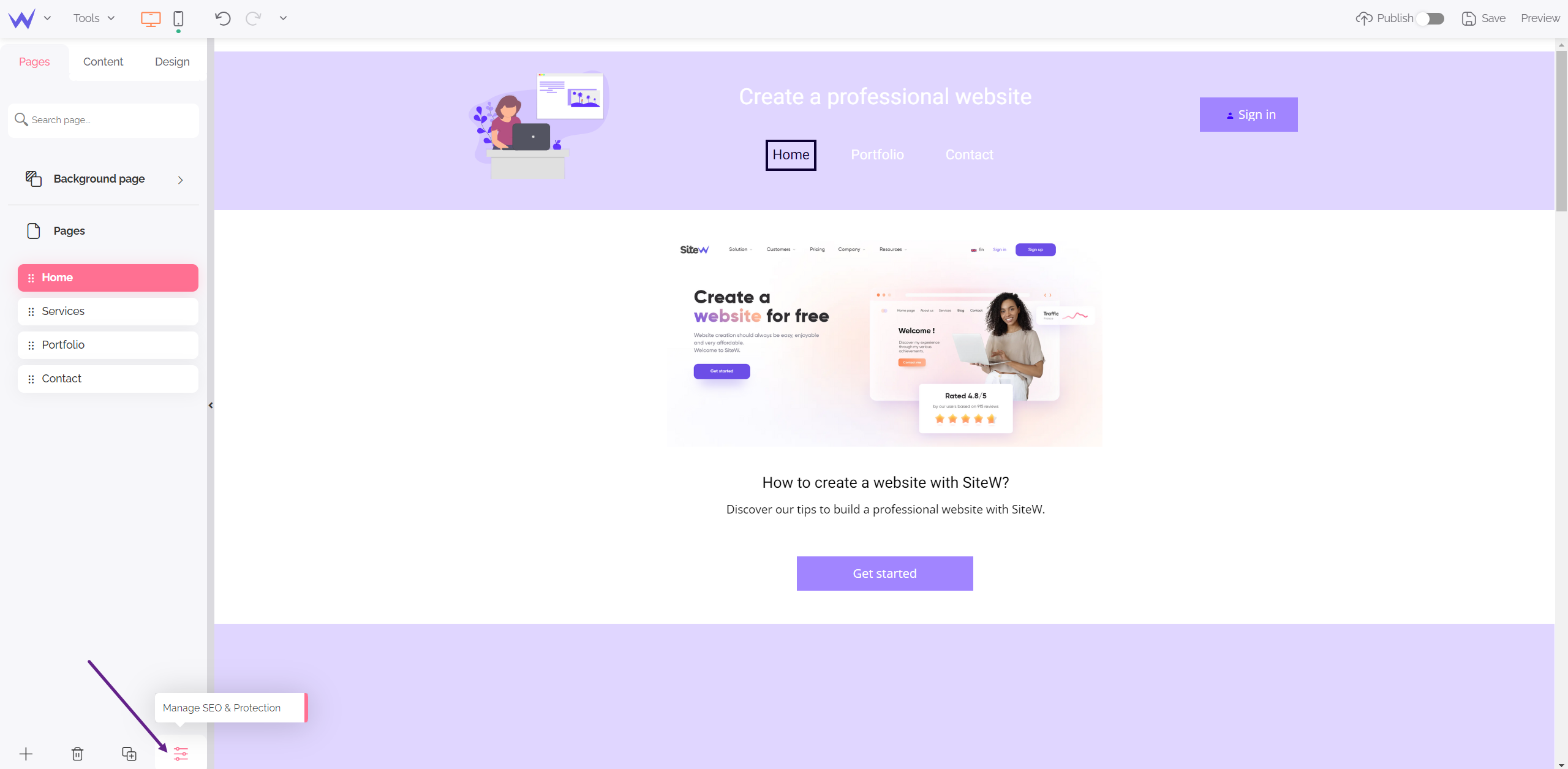
It's simple. Go to the website creation tool and go to the page you want to make private. Then click on the Manage SEO and page protection button, located in the bottom toolbar, and go to the Protection tab.
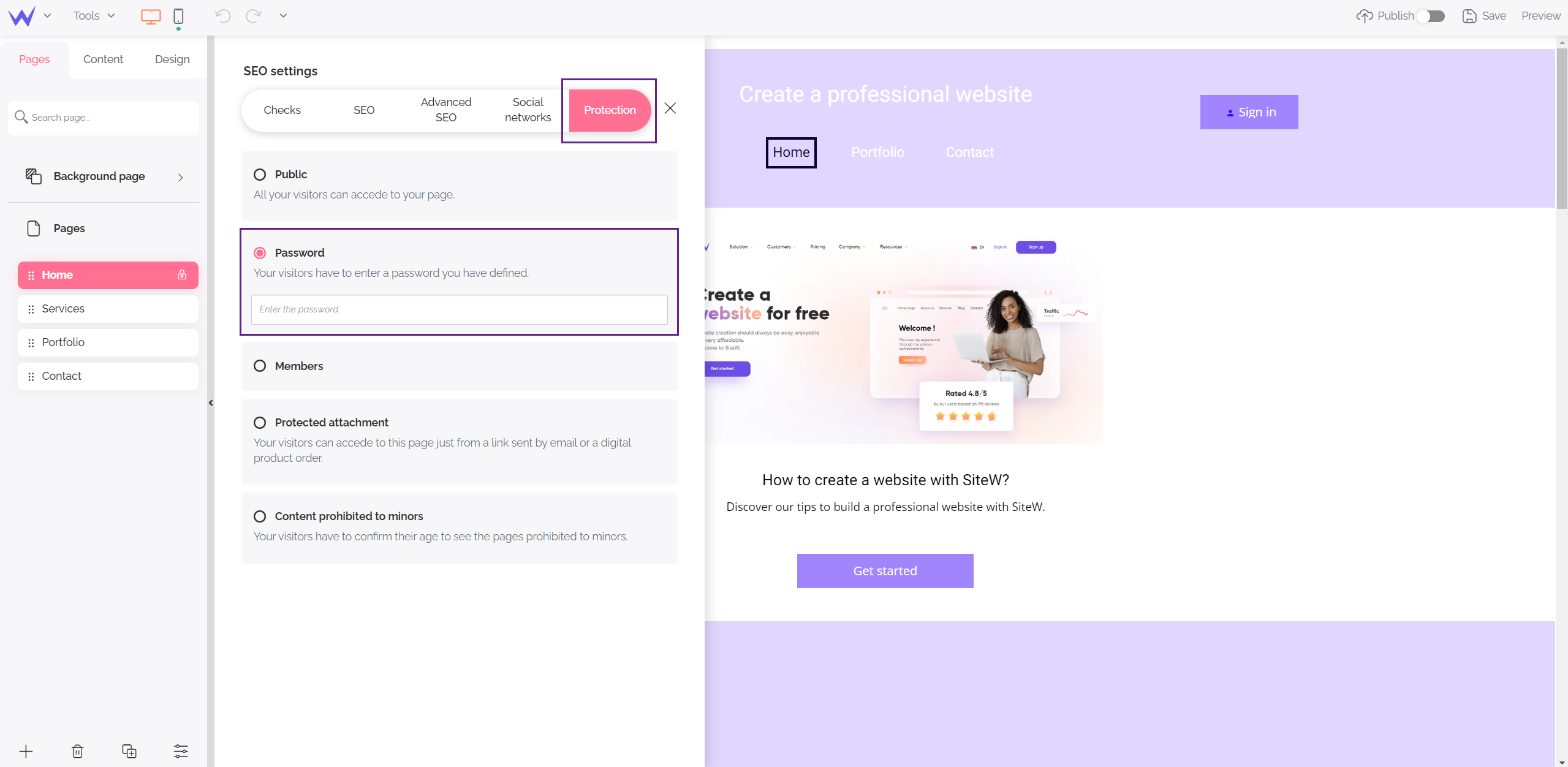
Then, in the Password section, choose the secret code that your visitors will need to enter to view this page.
Now you just need to publish your website.
You can then go to your website, and you will find that it is impossible to view your protected page if you do not enter your secret code. The password is saved for a week; your visitors can therefore view this page without having to enter the password again, for the entire duration.
You can make as many pages private as you want, and select a different password for each page. However, we recommend that you leave the first page of your public website.
In addition, if this page needs to remain secret, and you do not want your visitors to feel lost, it is preferable not to put this page in the menu.
To do this, uncheck the box for this page in the page management of your Menu block.
Last update: February 22, 2023