
SiteW makes website creation easy and enjoyable thanks to a solution without technical or financial constraint.
Testimonials, interviews and examples of created websites. Discover our users’ reviews and creations.
Our history, news and commitments. Beyond online service, discover SiteW.
All resources at the service of your online presence.
If you are here, and you are reading one of our articles about SEO, this means that you are already halfway before starting.
Several reasons can explain why you are here:
👉 Case 1: You will create a website, and you plan to create it with SiteW. 🤭
👉 Case 2: You are creating a website, you want to get the best techniques, avoid useless things and rank on the first position of Google. Your objective is to create a well-ranked website.
👉 Case 3: You already have a website, but you are stuck between the third and the fourth page of Google and your website is hardly effective.
Well, for whatever reason you are here, you are in the right place: we will study search engine optimization (SEO) in its entirety. The explanation won’t be as complete as a book’s one, otherwise you will just read half of the article before leaving us.
Are you ready? Go to the first page of Google. 🚀
Through the menu, this comprehensive guide will explain how to improve your website ranking and adapt your websites to suit search engines to you, and especially be more visible on the Internet.
To that end, we will see how to:
define your keywords
improve the content of your website
Small recap about SEO:
SEO is all the techniques that enable you to index your website in search engines, and especially improve your ranking in search engine results pages.
It’s not complicated, but you must proceed methodically.
We want to see you happy, and therefore we will try to give you as many tips as possible to optimize your website ranking.
Let’s go!
The objective of search engines is suggesting a listing of pages to Internet users that answer their question in the most relevant way possible.
Concretely, the concept of a relevant answer is quite abstract. Search engines use a series of metrics and settings (such as keywords, the number of links and updates of the website, etc.). Algorithms interpret these data to give results pages.
Robots collect this information during their periodic visits of your website. It can take from a few hours to several weeks for a website to be updated before it is included in search results.
A part of SEO consists in optimizing these settings as much as possible to improve the relevance of a page.
Regarding search engines, they are constantly progressing to block these techniques of excessive optimization if they no longer enable them to give relevant answers.
In this way, an effective natural SEO strategy, first, must answer the question of Internet users as best possible, as this will be valued in the long term, whatever the evolution of search engines is.
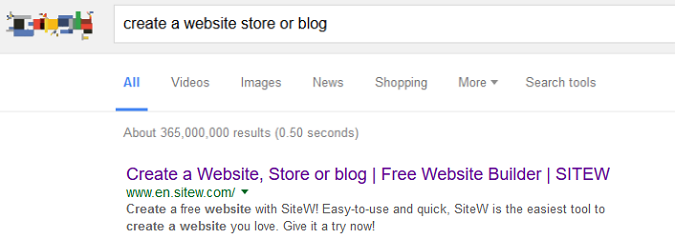
When you want to optimize your website ranking, the first question is: “With which keywords do I want to rank on the first position of Google?”
For example, if you want to create a website about SEO, you probably want to rank on search results for these queries: “Google ranking” and “Google first position”.
Don’t choose too many keywords: 6 at the most.
The objective now is to make Google understand your website is the best to deal with this topic.
In summary, you must convey the following message to search engines: about SEO upgrade, my expertise is clearly the best. (In all humility of course ;-) ).
To help you choose your keywords, you can read our guide: Improve your Google ranking thanks to keywords.
OK, you have defined your keywords. Now we will see how to use them!
Once you have defined your main keywords, you just need to add them to your website and pages properly.
In SEO, there are strategic and unmissable places if you want to ensure the best position on Google.
Your keywords position is an important element if you want your visibility to be successful, as we wish you.
In general, search engines show the title, the description and the URL of the pages directly in the listing of results. On the one hand, they improve SEO and on the other hand, they encourage Internet users to visit the page (Internet users read the titles and descriptions in search results and click on the most relevant and interesting results for them; that is to say the most attractive results for them!).
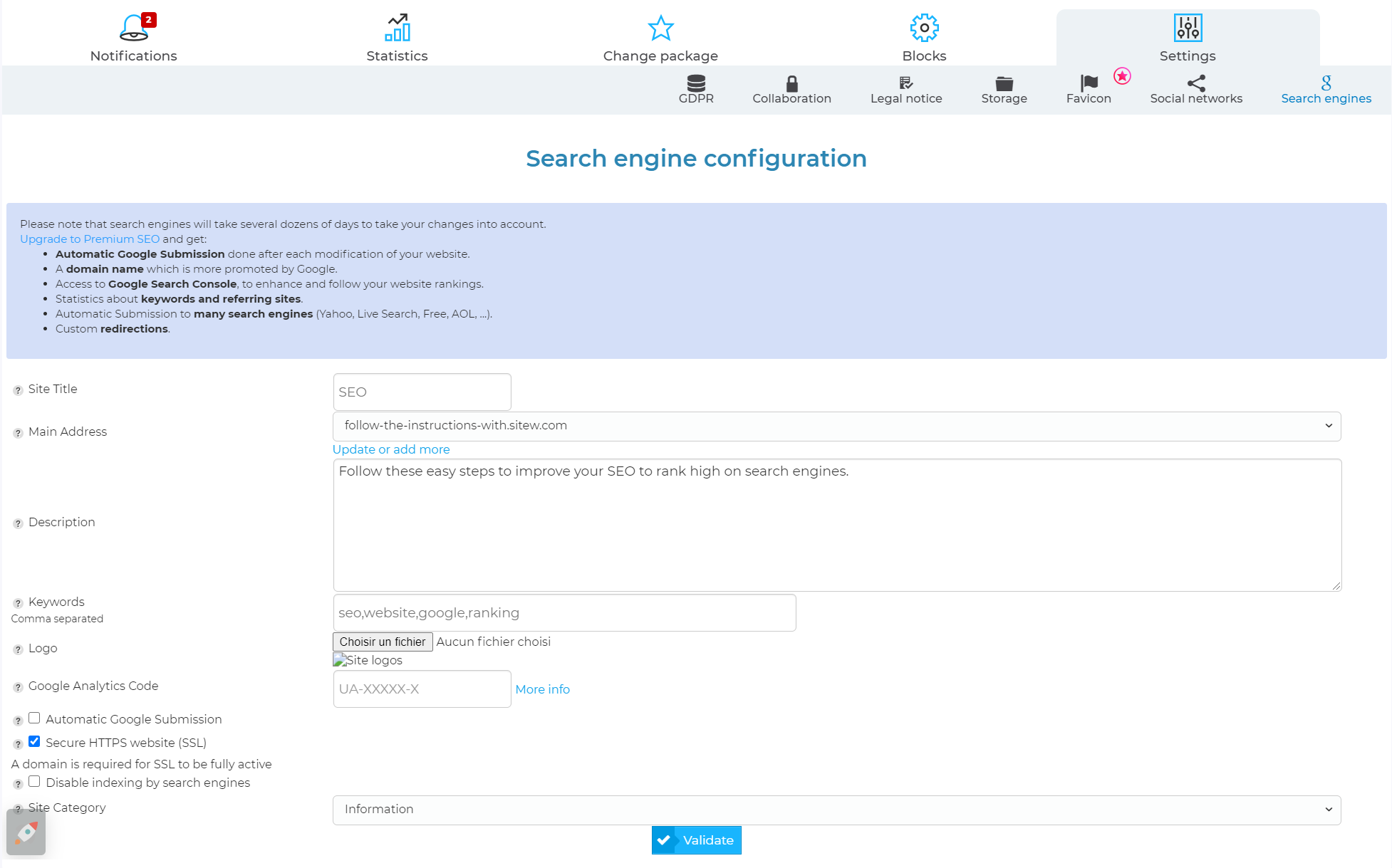
👉 Title and description of your website
Change the title and the description of your website in order that they have your keywords at least once. Write attractively to grab Internet users’ attention and make them to want to click!
Then update the “Keywords” section in order that it has your keywords, even if search engines no longer use this field directly.
👉 Title and description of each page
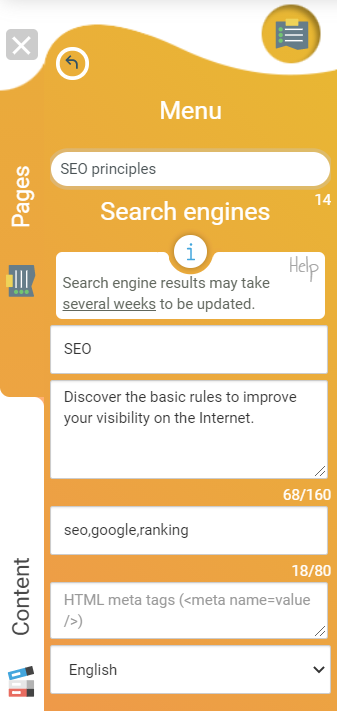
In the same way, optimize SEO for each of your websites. Improving your website actually is a long-term work, but believe us: it’s worth it.
It is important to choose the name of your pages carefully in order that it has your keywords.
For our example of a website about SEO, it is better to change a page which title is “Presentation” into “SEO principles” or change a page called “Tools” into “SEO tools”.
Booking a domain name is an essential step for your SEO as it enables you to customize your URL and show to Google that you own a professional website.
You have to pay for a domain name. Thus, its booking represents an investment, and you must take it seriously (you agree with us: a sensible person will never squander money deliberately ;-) ). In this way, search engines consider it a reliable guarantee.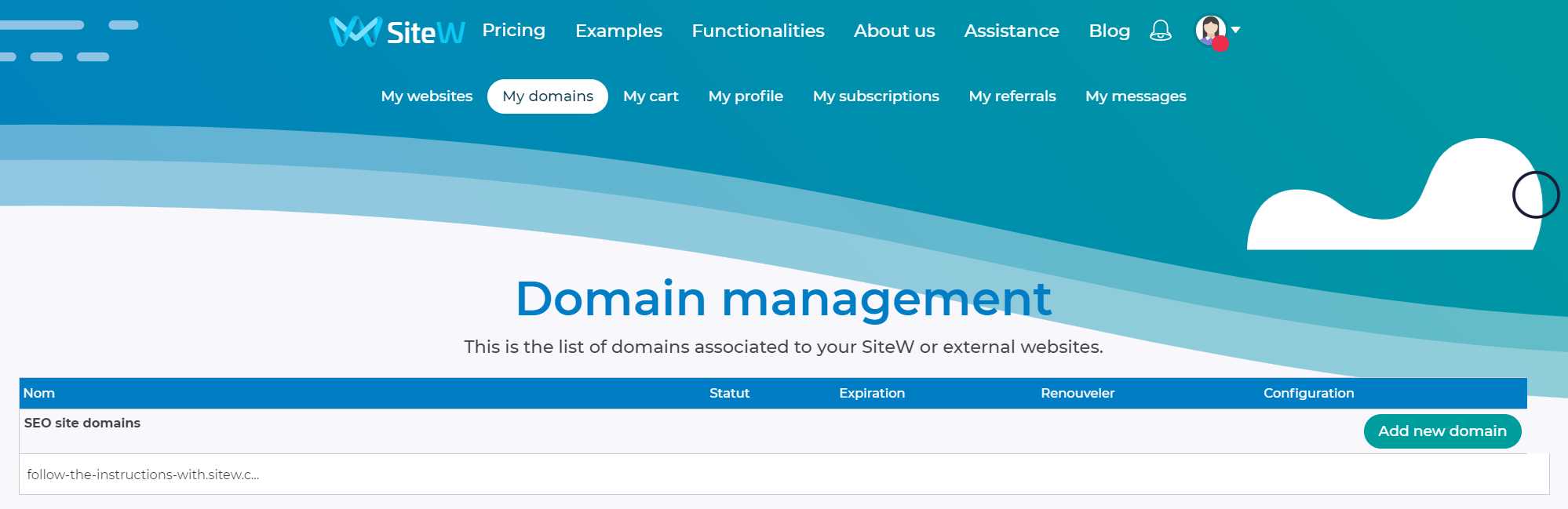
We will be direct: it is important to add textual contents with your keywords to all your pages.
The empty pages or the pages that only have pictures or videos will be badly indexed.
That is why it is better to comment your photos and videos if your page hasn’t texts.
The terms in expressions not only must be shown together but also separately.
About our example of a website dealing with SEO improvement: the expression “website ranking” must be shown as well as sentences with the following words: “ranking” and “website”.
It is also important to use different words on the same vocabulary to create a related semantic field.
We admit that the content of your website may seem a bit repetitive (the “ranking” term or its synonyms can be repeated each 100 words), but it will help Google a lot to understand the topic of your website and improve your website keywords ranking and this is what matters, no?
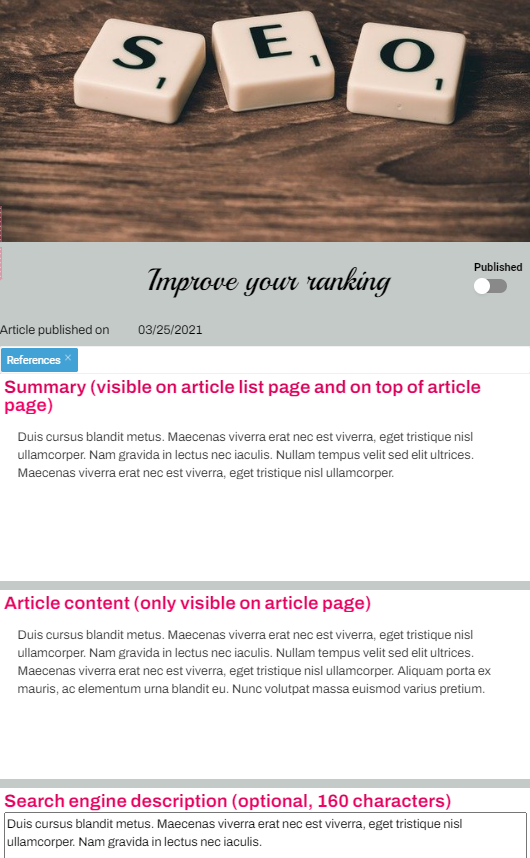
It is also essential to have short pages.
In this way, it can be judicial to separate your long pages into several smaller ones. The more pages your website will have, the better Google and other search engines will consider it. It is normal as it is likely to answer the different search terms.
Moreover, each page can deal with a specific topic and also explore an important keyword.
Perfect! Your content is optimized, but it is insufficient! You must also work on your website reputation. Fame is something you have to work for on the web too. ;-)
Google attaches importance to the number and the quality of the links to your website. These links called “backlinks” are essential to optimize the natural SEO of your website. Try to multiply them and ensure your links come from quality websites.
The words that form the links are called “anchors”. Make sure these anchors have your keywords.
For our example of a website about SEO, the “Google indexing” link will be better than “read this article” or a simple website address.
However, ensure you don’t use link optimization systematically because search engines will consider it a non-natural behaviour.
To increase your SEO, you have to look like the best in your field without looking like you're trying to look like you are... Well, you get the idea!
Be careful! Context also is important for backlinks: the page on which your link is must have your keywords. This will more interest the visitors of the website and Google will consider that the link has a better quality.
Try to make the links to your pages appear on websites like yours.
In our example, you can write an article by adding a backlink to the website of a SEO expert blogger.
If you have created a website about a tourist activity, register at the website of the tourist office of your town. If you are a professional, check to see if there is a web directory which lists all the local companies. If you manage the website of a town council or a district, add a link to its Wikipedia page.
Search blogs and forums on Google that deal or dealt with the topic of your website, and leave a comment with a link to your website. In general, to avoid spam, the links added to these types of contents are specified in order that search engines don’t take them into account (no follow link). However, these no follow links will enable you to get visits of lectors interested in these topics. Don’t hesitate to take the opportunity!
For our example, by typing “SEO forum” or “SEO blog”, we will find websites on which we can leave a message with a link to our website.
It is also possible to contact with specialized websites or blogs in order that they write an article about you.
Now we start having a clear picture of SEO, but here are our last advice to be successful on Google!
When we create a website, if you want (and you certainly want it!) to increase your ranking on the Internet, it is better to pay attention to the following points:
👉 Special files for search engines: robots.txt and sitemap.xml. These files show search engines the listing of the pages of your website for faster website ranking.
👉 Source code optimization: use of adapted tags to organize content coherently (title, subtitle…).
👉 Loading speed of the website
👉 Optimization of the mobile view (mobile friendly)
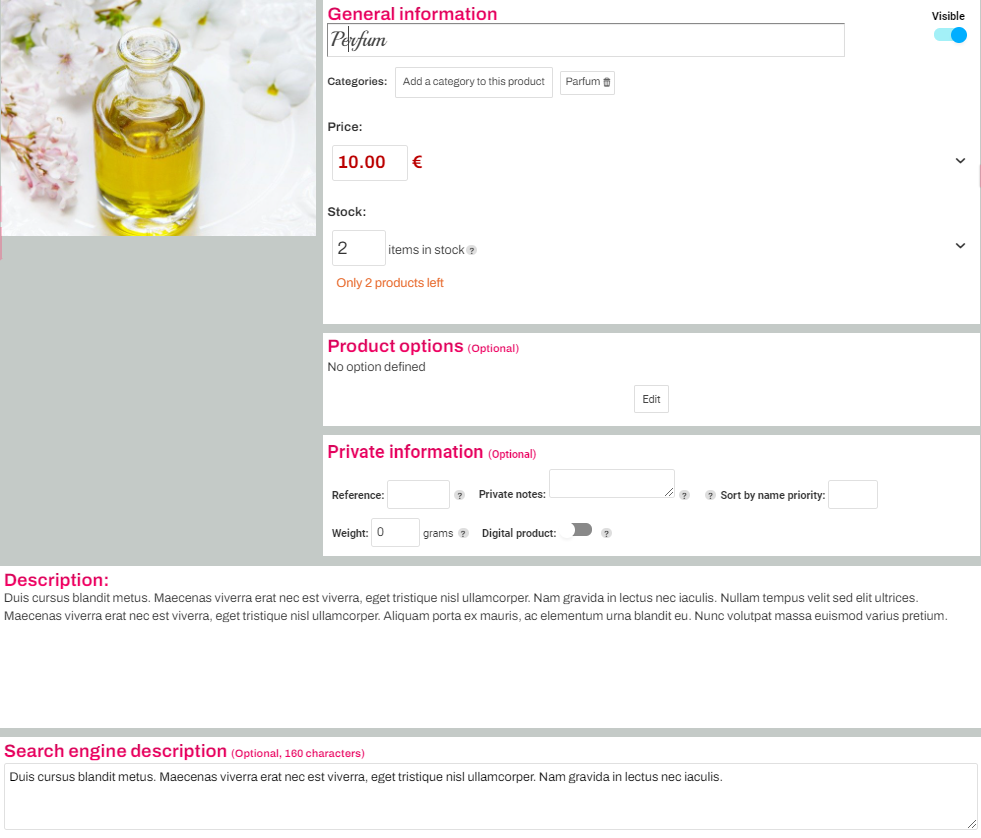
👉 Descriptions especially for search engines: customization of meta descriptions for the pages of the blog as well as for the product and category pages to maximize your blog and e-commerce ranking on search engine.
👉 Alt tags of images to improve their ranking by Google Images.
👉 Google tools for webmasters (Google Webmaster Tools). You just need to follow some easy steps to create your account.
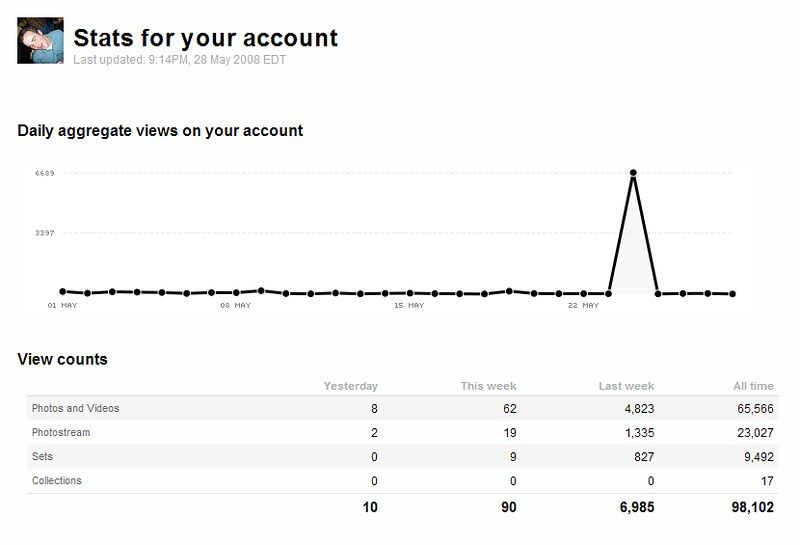
About your statistics monitoring, you can also refer to the statistics of Google Analytics easily and directly to use these data to optimize your Google ranking.
We have seen all the basic rules to know how to improve your ranking. Now start working and show Google your worth!
If you have any doubts, don’t hesitate to audit your website: it will help you understand and optimize your visibility on the Internet.
Last update: May 22, 2025