
SiteW makes website creation easy and enjoyable thanks to a solution without technical or financial constraint.
Testimonials, interviews and examples of created websites. Discover our users’ reviews and creations.
Our history, news and commitments. Beyond online service, discover SiteW.
All resources at the service of your online presence.
12 minutes
When you manage an online business, your inbox can quickly become overwhelmed with emails.
A cluttered mailbox not only affects your productivity but also takes up valuable storage space. 📬✉️
Fortunately, cleaning up your inbox is easier than you might think. In just a few minutes, you can organize your message and immediately free up space.
Here’s how to sort through your emails effectively by combining manual cleanup methods with convenient tools. 🧹💪
Cleaning out your inbox manually requires a little time, but it gives you complete control over which messages you keep or delete.
Your email provider already includes all the essential features you need to perform a thorough cleanup. 👍

Start by selecting and deleting any old messages you no longer need.
Keep in mind that deleted emails (whether important or not) remain stored in your Trash folder and continue to take up space.
To actually free up storage, you’ll need to empty this folder as well.
This step is essential: servers retain deleted items until the Trash folder has been emptied.

Remember to unsubscribe from newsletters you no longer read, as they can quickly overwhelm your inbox with unnecessary messages. 📧🙅♂️
You’ll usually find an unsubscribe link at the bottom of each email.
Establishing a monthly email sorting routine can make your digital life much easier. 😌🧘
Set aside a few short sessions to quickly deal with spam, promotional offers, and miscellaneous notifications before they begin to pile up.
In Gmail, you can review your storage usage in the settings. This makes it easier to identify which emails or categories are consuming the most space and target them during your next cleanup. 🎯
One of the most effective ways to keep your inbox organized over time is to create automatic filters and rules.
Instead of repeatedly sorting through the same types of messages, you can configure your email service to automatically organize incoming emails according to your chosen criteria.
For example, newsletters, promotional emails, and notifications can be automatically redirected to dedicated folders. This keeps your primary inbox focused on important messages, reduces visual clutter, and helps you prioritize your daily tasks more effectively.
.jpg "how to declutter inbox")
Most email services, such as Gmail or Outlook, offer advanced filtering options. You can create rules based on the sender, subject line, keywords, or the presence of attachments.

Emails containing the word “invoice” can be automatically moved to a finance folder, while marketing messages can be filed in a dedicated folder or archived.
Some rules can also mark messages as read, flag them for follow-up, or delete them as soon as they arrive. This last option is especially helpful for recurring, low-value emails that tend to accumulate quickly.
Filters also help you stay organized over the long term. By sorting messages as soon as they arrive, you create a clear structure that simplifies future searches and makes your inbox more efficient to manage every day.
However, it’s important to review your filters regularly. Your needs may change over time, and certain rules can become outdated or accidentally misclassify important messages. A quick monthly review is usually enough to keep your system relevant and effective.
By combining automation with occasional reviews, you can achieve the ideal balance between saving time and retaining control over your inbox. 👁️📩
Automated tools can make sorting your emails much easier. ⚙️
They scan your inbox to identify unwanted newsletters and spam far more quickly than manual sorting.
These tools allow you to delete unnecessary messages in bulk—and may even help you unsubscribe from services you no longer want—all at no cost.
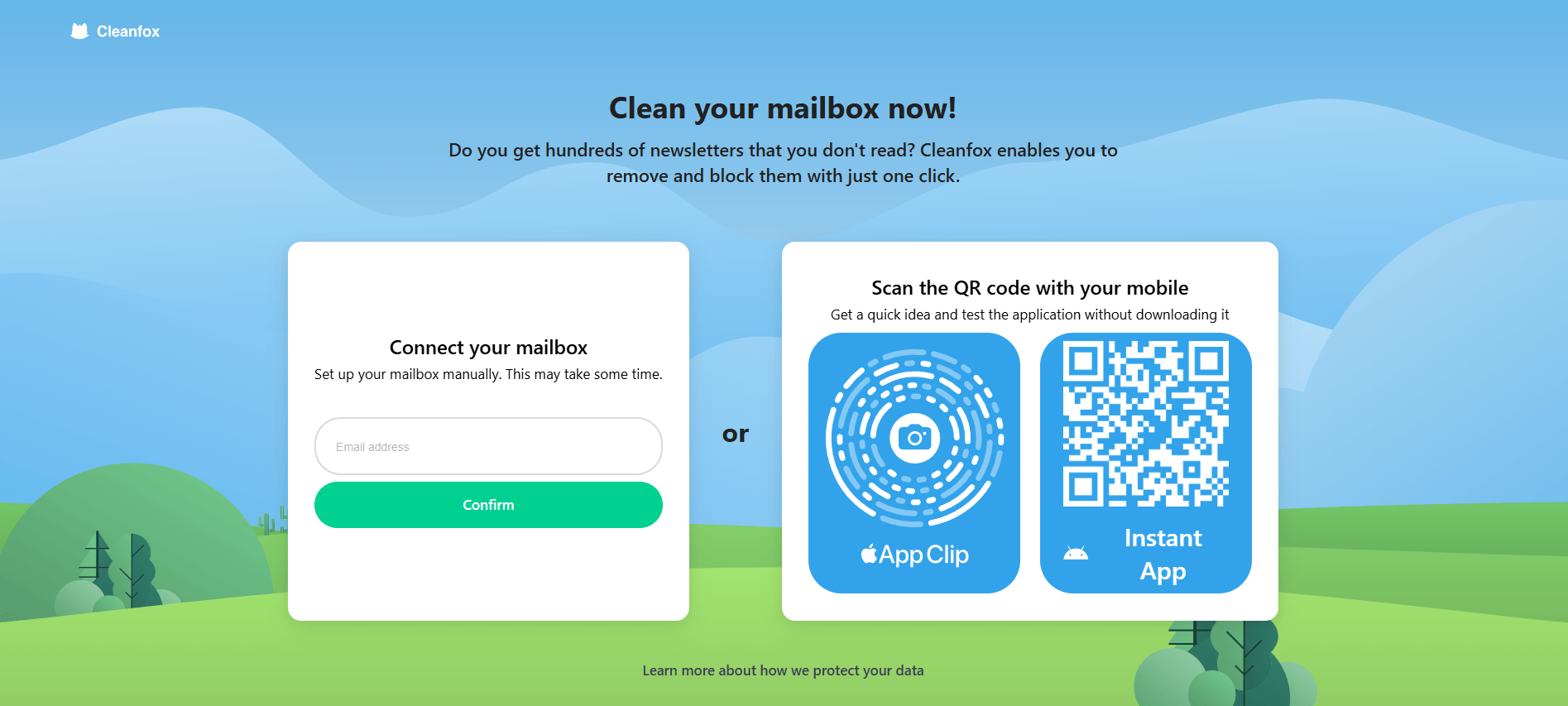
Cleanfox is particularly useful for organizing a cluttered inbox. It analyzes your messages to identify unwanted senders and older emails that are taking up space. The tool is easy to use and compatible with Gmail, Yahoo Mail, and Outlook.
Clean Email uses smart filters to automatically organize messages into categories, making marketing and promotional emails much easier to manage.
For Android users, InstaClean helps block spam and simplifies the process of unsubscribing from unwanted emails.
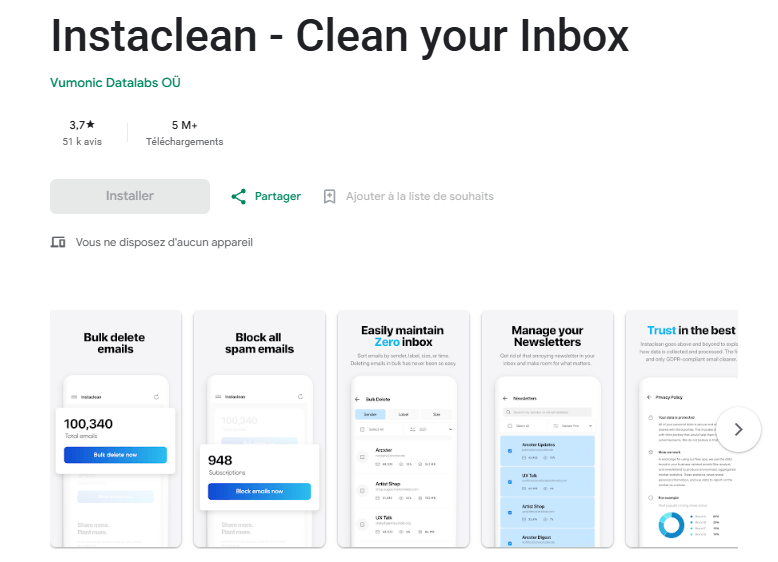
These apps can also provide recommendations based on your activity, such as archiving or deleting recurring messages.
However, you remain in control throughout the process: every deletion requires your approval before the Trash folder is emptied. 🗑️✅
|
Tool |
Platform |
Main Feature |
Compatibility |
|
Cleanfox |
Web, iOS, Android |
Bulk email deletion and newsletter unsubscription |
Gmail, Outlook, Yahoo |
|
Clean Email |
iOS, Android |
Smart filtering by category |
Gmail, Outlook, Google Workspace, iCloud |
|
InstaClean |
Android |
Spam blocking and newsletter unsubscription |
Standard Android email |
These free inbox cleanup tools provide features that are often unavailable in standard email services. As a result, they can help you manage your inbox more efficiently and keep it organized over time.
Here are their main features:
Bulk deletion: Delete every email from a specific sender at once and free up storage space in just a few clicks. 🖱️⚡
Easy unsubscription: Forget complicated procedures! These tools automatically remove your email address from unwanted mailing lists.
Faster sorting: Instantly archive, organize, or delete thousands of emails. It’s the perfect solution for giving your inbox a fresh start!
Advanced blocking: Automatically send messages from unwanted senders directly to the Trash before they can clutter your inbox. 👌
Some tools can even identify emails with large attachments that are consuming excessive amounts of storage.
As mentioned earlier, Gmail and other email providers also include built-in features that offer similar capabilities. With just a few clicks, you may be able to free up several megabytes—or even more—of storage space. 💾
Automated unsubscription tools make unwanted newsletters disappear with minimal effort. There’s no need to search for a tiny unsubscribe link hidden at the very bottom of an email: a single action can permanently remove your address from the mailing list.
This approach helps prevent your inbox from becoming cluttered again. By keeping only the messages that genuinely interest you, you regain control over the information you receive. 🙌
Attachments often account for most of the storage space used by your emails.
A simple text-based message takes up very little space, but a complete presentation or large PDF file can consume significantly more storage.
Managing these files effectively is therefore essential if you want to clean up your inbox and keep it organized over the long term. 🤷♀️
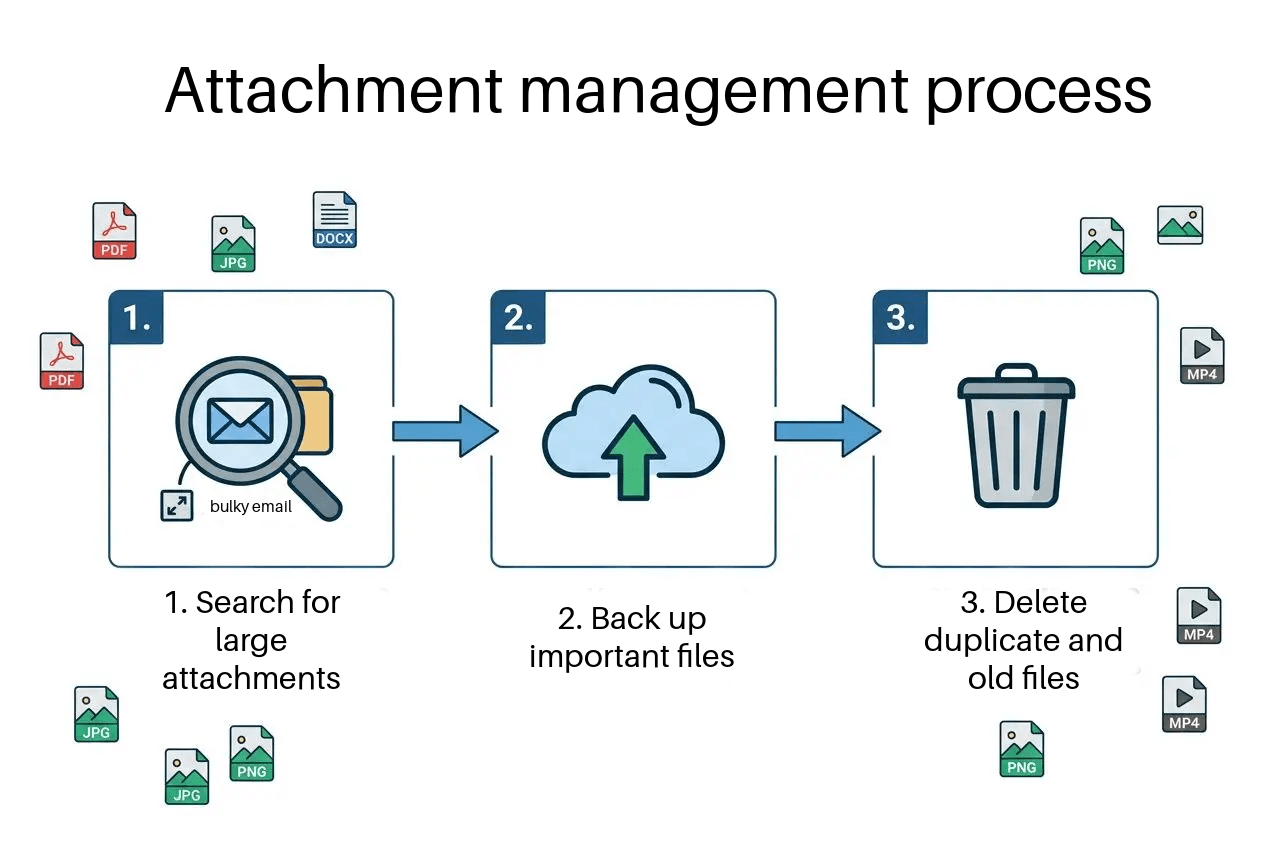
Most email providers allow you to search for messages by file size. 🔎
This feature lets you target only the largest emails and attachments without having to delete the rest of your messages. For an efficient cleanup, begin by looking for emails containing multimedia attachments larger than 10 MB. 🪨
In Gmail, enter the search query has:attachment larger:5M to instantly display emails with attachments larger than 5 MB.
Outlook also provides automated features for identifying and managing large messages.
You can therefore delete multiple space-consuming emails at once and quickly recover valuable storage.
Before permanently deleting an attachment, make sure you save a copy elsewhere.
Download important documents to an external drive or store them directly in the cloud. This simple precaution allows you to preserve essential files before deleting the corresponding messages or attachments. 📥
Remember to check your Sent and Drafts folders as well. An attachment sent or saved several months ago may still be taking up a significant amount of space unnecessarily.
Decluttering your inbox isn’t only about staying organized: it can also be a practical eco-friendly step that helps reduce the energy consumed by data centers.
Cleaning out your emails can therefore contribute to a more sustainable digital lifestyle. 🌱🌍
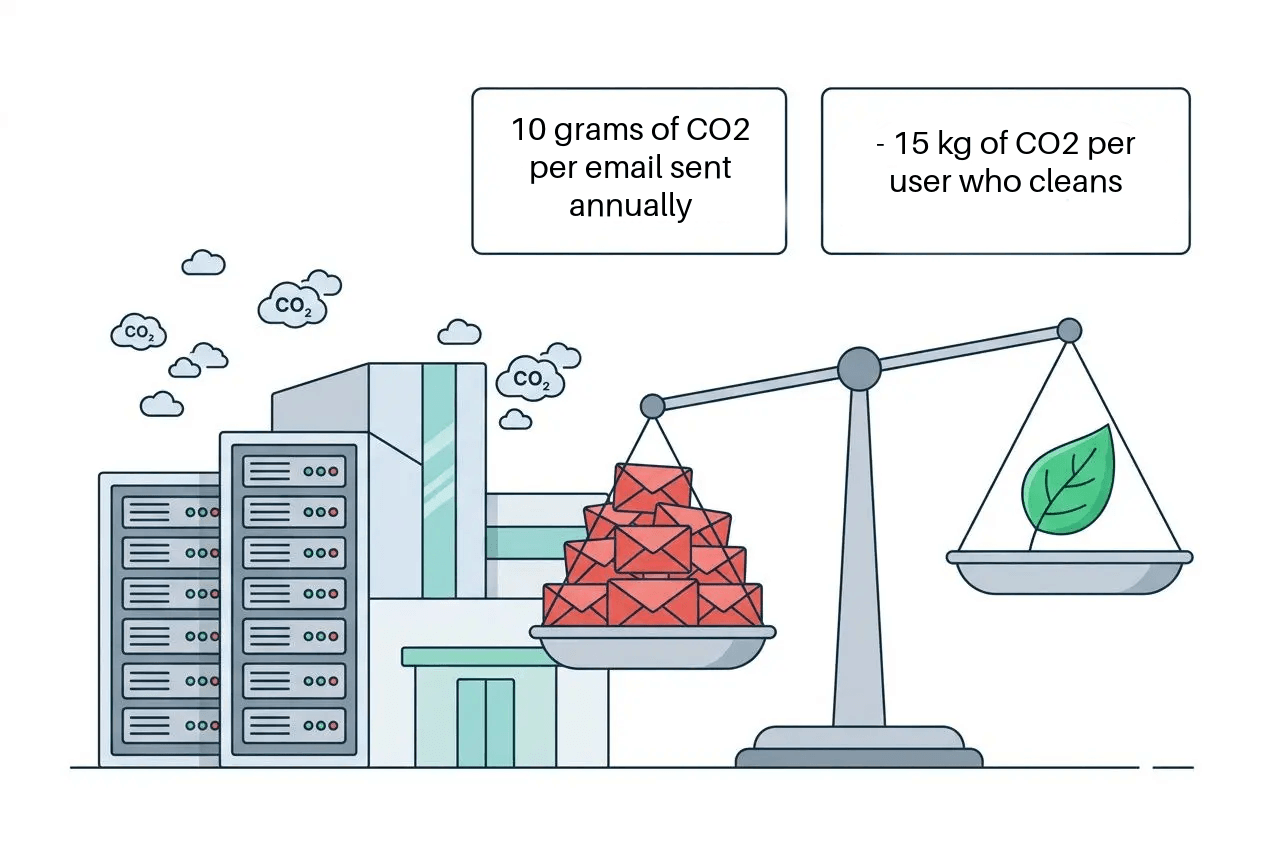
Storing a single email in your inbox is estimated to generate approximately 10 grams of CO₂ per year. 😲
Deleting old messages can help reduce this invisible form of pollution. On an individual level, regularly cleaning your inbox could represent carbon savings equivalent to driving several fewer miles.
Here are a few revealing facts:
Server energy consumption: The servers that host your email operate around the clock. Every gigabyte stored unnecessarily contributes to their energy use and associated emissions. 🏭💨
Impact of large emails: A large email containing attachments may consume as much energy as leaving a light bulb on for an hour.
Collective digital pollution: Regularly clearing out your inbox helps reduce the overall strain on servers, thereby limiting the environmental footprint of internet use.
Every stored piece of data occupies space on servers that must be continuously powered and cooled. Maintaining your email account can therefore play a part in reducing this environmental cost.
Digital mindfulness encourages us to reduce the pollution associated with our online habits.
A useful first step is to create a secure professional email address linked to your domain name. Setting up effective filters and a reliable anti-spam protection will block unwanted messages as soon as they arrive, making future cleanups much easier.

… Think SiteW! 💡
With SiteW, everything is simple: you can build and manage your website, host it, register a domain name, and create an associated email address, all in one place and in just a few clicks.
These services are included in our all-inclusive plans at no additional cost!
Spending just 15 minutes a month sorting through your inbox can help you delete hundreds of unnecessary emails. Already embraced by millions of internet users, this habit can significantly reduce the energy consumed by cloud infrastructure. Its impact could be even greater if you encouraged your friends, family, and colleagues to do the same. 🗣️👥
To learn more about this topic, check out our detailed guide on how to create professional email addresses on SiteW.
You'll learn how to manage your professional email address.
Before connecting your email account to an external service, take the time to review its security commitments.
Well-known tools such as Clean Email and Cleanfox follow strict security standards while remaining compatible with the most widely used email providers.
Cleanfox supports accounts from major providers including Gmail, Hotmail and Yahoo Mail. This broad compatibility means you won’t have to deal with a lengthy setup process. To begin cleaning your inbox, simply sign in using your existing account.
Clean Email offers even broader coverage, supporting Outlook, iCloud, AOL, and any account that uses the IMAP protocol. This flexibility makes it suitable for nearly all users, whether they manage a personal or professional email account.
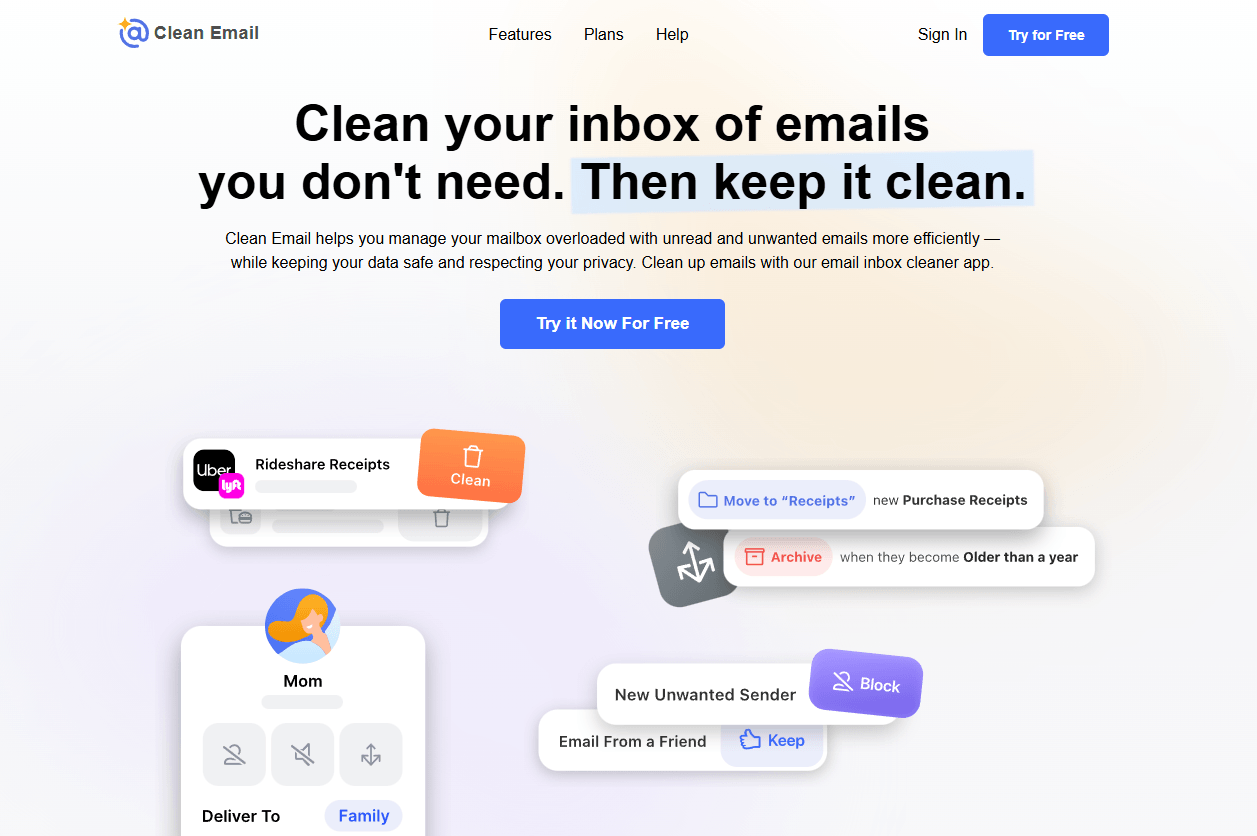
Here is an overview of the compatibility between email cleanup tools and providers:
Gmail and Google Workspace: Native integration provides immediate synchronization of your actions.
Outlook and Office 365: Full compatibility is available, while Microsoft sign-in makes setup easier.
Yahoo Mail and other services: Support relies on standard IMAP protocols and extends to more than 50 email services.
Custom business accounts: All IMAP servers are supported, including those associated with private domains.
Always confirm that your chosen tool is compatible with your email provider. Since the solutions listed above support the vast majority of accounts, you’re unlikely to encounter any major technical difficulties.
Any data shared with an email cleanup application should be encrypted while in transit to its servers.
GDPR compliance is a major priority for Cleanfox, Clean Email, and InstaClean. Their security and compliance measures are designed to ensure that your information can be deleted upon request while helping to prevent data breaches.
Always read a service’s privacy policy carefully before using it. Reputable providers commit to neither storing the contents of your emails nor selling your personal data. This allows you to retain control over which messages are kept and which are deleted. 🔒
Managing multiple professional email addresses requires a well-organized system to prevent your inboxes from becoming overwhelming. Our tutorial explains how to configure Outlook using POP and SMTP protocols so you can centralize your different accounts. Bringing everything together in one place will make future sorting much faster and more efficient.
To keep your inbox organized over time, establish a clear structure from the beginning using specific folders and automated rules. This preventive approach reduces the need for major cleanups while maintaining a well-organized email environment. 🤓
Tips for managing your email more effectively:
POP/SMTP settings: Use these standard protocols to connect virtually any email account to Outlook.
Automatic filters: Set up filters to immediately redirect specific types of emails and reduce inbox clutter.
Cloud synchronization: Retrieve data from the server and seamlessly integrate email accounts associated with your domain.
Built-in antivirus and antispam protection: A professional email address linked to your domain often includes effective security tools that block spam as soon as it arrives.
Tools such as Cleanfox or Clean Email allow you to remove large amounts of inbox clutter in just a few clicks.
Within minutes, they can identify and filter spam, unwanted newsletters, and messages from senders you no longer want to hear from.
However, reviewing the folders that use the most storage through your email settings is already an excellent place to start.
Start by archiving important conversations you want to keep. 🗂️
Then focus on deleting emails with large attachments, social media notifications, and outdated documents. Finally, empty your Trash folder to immediately reclaim storage space.
Cleanfox is particularly convenient for decluttering your inbox and quickly unsubscribing from unwanted newsletters.
Clean Email stands out for its automated sorting capabilities,
While InstaClean offers a simple lightweight alternative for Android users.
Last update: August 27, 2026